 By Akash Sharma
 Aadhaar and PAN are the two foundational identity pillars of India’s entire financial regulatory system — and together, they have made opening a Demat account faster, simpler, and more accessible than ever before in India’s history. Before the introduction of Aadhaar-based e-KYC, opening a Demat account required physical form submission, in-person branch visits, document courier, and weeks of waiting. Today, your Aadhaar and PAN — two documents that virtually every adult Indian already possesses — are all you fundamentally need to complete the entire Demat account opening process digitally, in a single session, from your smartphone. This article explains exactly how Aadhaar and PAN are used in the Demat account opening process, what role each plays, and the complete step-by-step process for using them to open your account.
Why Aadhaar and PAN Are the Core Documents
PAN (Permanent Account Number) is your primary financial identity in India — the unique 10-digit alphanumeric identifier issued by the Income Tax Department that is mandatory for all securities market accounts under SEBI regulations. It establishes your tax identity, links all your financial accounts under one reference, and enables the accurate reporting of capital gains and dividend income.
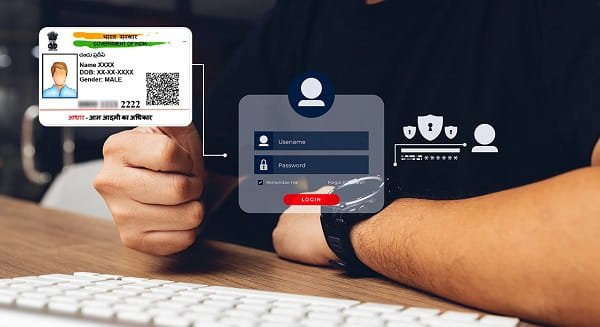
Aadhaar is your biometric-backed, government-issued unique identity — the 12-digit number issued by UIDAI that links your identity and address to a centralised, verified database. The Aadhaar e-KYC system allows SEBI-registered institutions to verify your identity and address in real time through an OTP-based process — eliminating the need for physical document submission.
Together, PAN provides your tax identity and Aadhaar provides your KYC identity and address — the two most essential elements of a Demat account application.
What Aadhaar and PAN Enable in the Account Opening Process
| Function | PAN | Aadhaar |
| Identity Verification | Primary financial identity | Secondary identity verification |
| Address Proof | Not an address document | Registered residential address — auto-fetched via e-KYC |
| Date of Birth | Verified via PAN database | Cross-verified via UIDAI |
| Tax Compliance | Mandatory — links investments to income tax records | Not a tax document |
| e-KYC | Verifies name and DOB via NSDL PAN database | Full e-KYC via UIDAI OTP — includes address |
| Digital Signature (e-Sign) | Not used for signing | Aadhaar OTP e-sign for agreement signing |
| PMLA Compliance | Confirms investor identity for AML compliance | Adds address and biometric-backed identity layer |
Step-by-Step: Opening a Demat Account Using Aadhaar and PAN
Step 1 — Choose a SEBI-Registered Broker
Select your preferred broker — discount (Zerodha, Groww, Upstox, Angel One) or full-service (HDFC Securities, ICICI Direct). Visit their official website or download their official app. Look for the “Open Demat Account” or “Start Investing” option.
Check before proceeding: The broker must be SEBI-registered and must support Aadhaar e-KYC (virtually all legitimate brokers do in 2026).
Step 2 — Register with Mobile Number and Email
Enter your mobile number — this must be the same number linked to your Aadhaar for OTP verification to work seamlessly. Enter your email address. Receive and enter the OTP delivered to your mobile. Your basic profile is created.
Why this matters: Your mobile number serves as the communication channel for every OTP throughout the process. If your Aadhaar is linked to a different or inactive mobile number, the e-KYC step will fail.
Step 3 — PAN Verification
Enter your 10-digit PAN number. The broker’s system connects to the NSDL PAN Verification API and checks your PAN against the Income Tax Department database.
What is verified: Your name as registered with the Income Tax Department, your date of birth, and your PAN status (active, inactive, or invalid).
If PAN is inactive: SEBI mandates PAN-Aadhaar linkage for all taxpayers. If your PAN is deactivated due to non-linkage with Aadhaar, you must first complete the PAN-Aadhaar linking process on the Income Tax portal before proceeding.
Your name and date of birth auto-populate in the form from the PAN verification response — ensuring accuracy.
Step 4 — Aadhaar e-KYC
This is the most powerful step in the process — replacing what was once an hours-long branch-based document verification with a 60-second digital process.
Enter your 12-digit Aadhaar number. The broker’s system submits a KYC request to the UIDAI API. An OTP is sent to your Aadhaar-linked mobile number — valid for typically 10 minutes. Enter the OTP accurately. UIDAI authenticates the OTP and returns your verified KYC data:
Full name (as registered with UIDAI), Date of birth, Gender, Residential address (full address as registered in Aadhaar), and State and pin code.
All this data is auto-populated into your application — no manual typing, no address proof to upload separately. The UIDAI-verified address fulfils the address proof requirement completely.
Important: The OTP goes to the mobile number you registered with Aadhaar — not necessarily your current mobile. If these are different numbers, update your Aadhaar mobile linkage at an Aadhaar Enrolment Centre before starting.
Step 5 — Aadhaar e-KYC as In-Person Verification (IPV)
SEBI’s IPV (In-Person Verification) requirement — confirming that the applicant is a real person — is satisfied by the Aadhaar OTP e-KYC in most digital account opening flows. The Aadhaar system’s biometric-backed identity guarantee provides the IPV confirmation, eliminating the need for a separate video KYC call in many cases.
Some brokers may still require a short video KYC call as an additional security layer — this is scheduled within the app at your convenience.
Step 6 — Additional Documents Needed Alongside PAN and Aadhaar
While PAN and Aadhaar cover identity and address verification, a few additional items are still required:
| Additional Item | Why Needed | How Provided |
| Bank Account Details | For fund transfers | Account number + IFSC or cancelled cheque |
| Passport-Size Photo | KYC photograph requirement | Upload via app’s camera |
| Signature Specimen | Digital signature record | Sign on white paper — photograph and upload |
| Income Proof (optional) | For F&O/derivatives activation | Salary slip, ITR, or bank statement |
These are quick to provide and do not require any additional government visits or verification beyond what PAN and Aadhaar have already established.
Step 7 — Aadhaar OTP e-Sign the Agreement
When the account opening agreement is presented, sign it using Aadhaar OTP e-sign:
Enter your Aadhaar number in the e-sign window. An OTP is sent to your Aadhaar-linked mobile. Enter the OTP. Your digital signature is affixed to the agreement under the IT Act 2000 — legally equivalent to a physical wet-ink signature.
This step uses your Aadhaar a third time — first for e-KYC (identity and address), second for IPV (real person confirmation), and third for e-sign (legal agreement). This triple use confirms why a mobile-linked Aadhaar is so critical to the digital account opening process.
Step 8 — Submission and Activation
Submit your completed application. The broker’s team reviews and processes it within 24 to 48 hours. You receive your Demat account number (DP ID + Client ID) and Trading account login credentials via SMS and email.
PAN-Aadhaar Linkage: Critical Prerequisite
SEBI has mandated that PAN must be linked to Aadhaar for all securities market participants. If your PAN is not linked to Aadhaar, it may be deactivated — preventing any new Demat account from being opened under that PAN.
How to link PAN and Aadhaar: Visit the Income Tax e-filing portal (incometax.gov.in), navigate to “Link Aadhaar,” enter your PAN and Aadhaar numbers, pay the applicable late-linking fee (if applicable), and submit. Linkage is confirmed within 4 to 5 working days.
Always verify your PAN-Aadhaar linkage status before initiating Demat account opening.
Common Issues and Solutions
| Issue | Cause | Solution |
| Aadhaar OTP not received | Mobile not linked to Aadhaar | Update mobile at Aadhaar Enrolment Centre |
| PAN verification fails | Incorrect PAN or deactivated PAN | Check PAN status on NSDL; link PAN-Aadhaar |
| Name mismatch between PAN and Aadhaar | Different name registrations | Use a notarised affidavit or update one document |
| e-KYC address not current | Aadhaar address is outdated | Update Aadhaar address on UIDAI portal or upload recent utility bill |
| e-Sign OTP expired | OTP validity window passed | Click “Resend OTP” and complete signing promptly |
Frequently Asked Questions (FAQs)
Q1. Can I open a Demat account with only Aadhaar and PAN?
A: Essentially yes — PAN and Aadhaar together cover identity, address, and e-sign requirements. You additionally need bank account details, a photograph, and a signature specimen — all submittable digitally in minutes.
Q2. Is Aadhaar mandatory for Demat account opening?
A: Aadhaar e-KYC is the preferred and fastest method. Without Aadhaar e-KYC, you can still open an account through in-person KYC at a broker branch with alternative documents — but the process takes significantly longer.
Q3. What if my PAN and Aadhaar have different name spellings?
A: Minor variations (initials vs full name) are usually accepted. Significant mismatches require either an affidavit confirming both names are yours or a name correction in one of the documents before proceeding.
Q4. Is it safe to provide my Aadhaar number to a broker?
A: Yes — SEBI-registered brokers use the official UIDAI-certified e-KYC API. Only specific verified data fields are shared — no raw biometric data is accessible or stored by the broker. Always verify a broker’s SEBI registration before sharing any documents.
Q5. Does Aadhaar OTP e-sign have the same legal validity as a physical signature?
A: Yes — fully. Aadhaar OTP-based e-sign is legally valid under the Information Technology Act 2000, recognised by SEBI, courts, and all regulated financial institutions as equivalent to a physical wet-ink signature.
 Meghna Sharma
  Nishant Pal